

Social
Social features help players invite friends, return more often, and share results. Every method here is optional — pick only the ones that fit your game and target platforms. None are required for SDK initialization.
Share
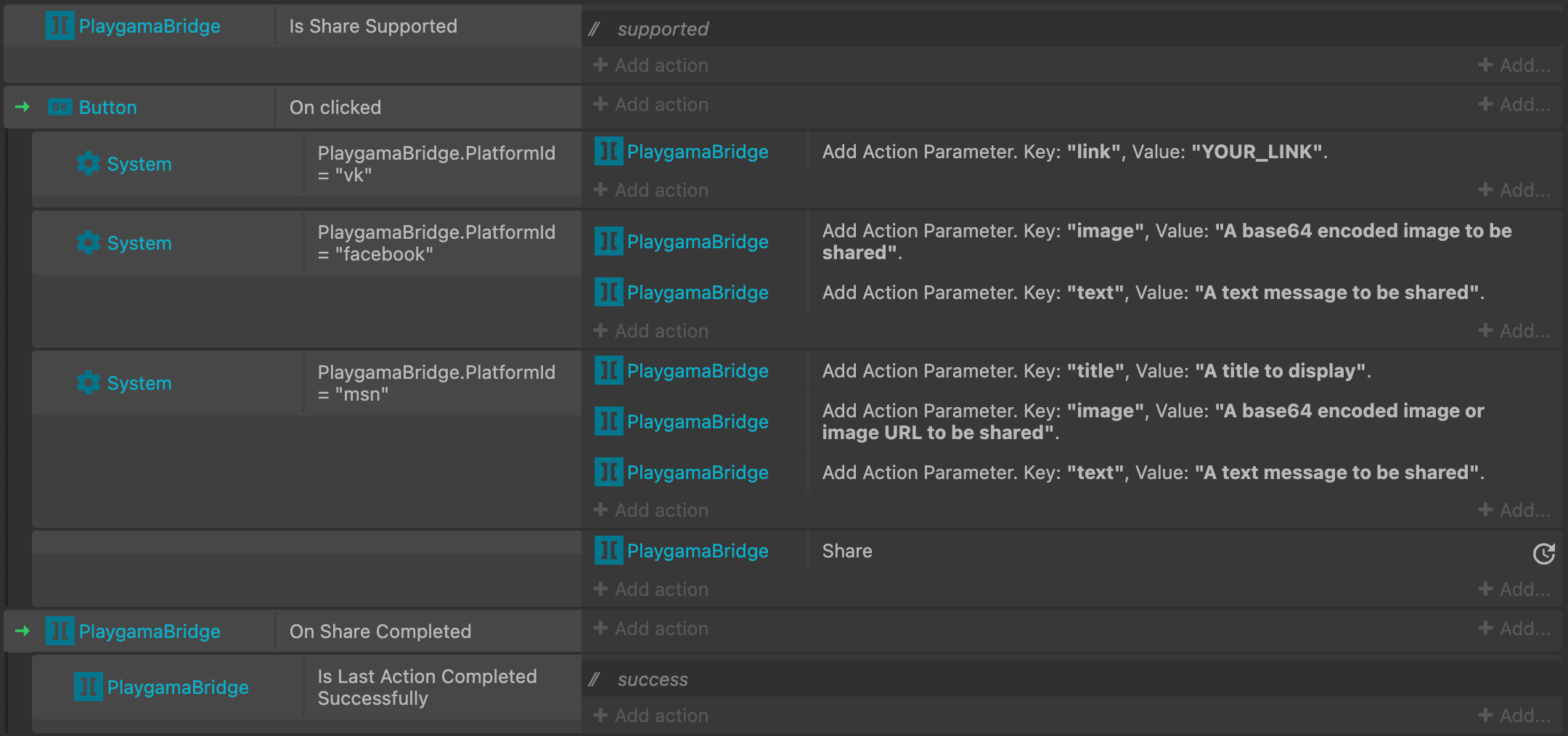
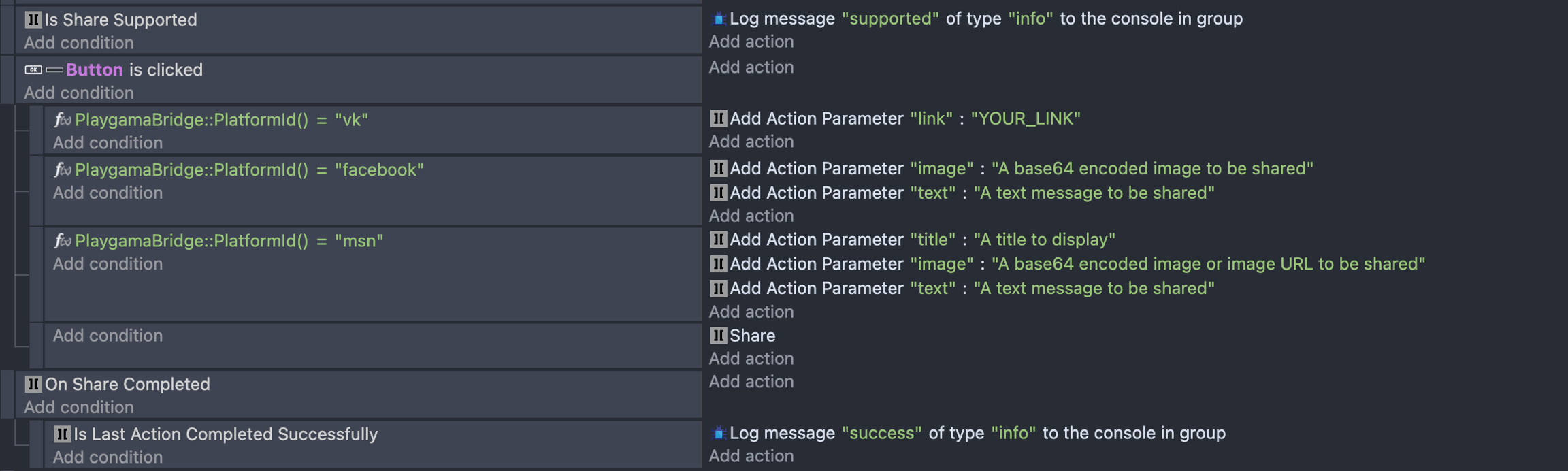
Let players share a score, achievement, or game link. Show the share button only when sharing is supported.
bridge.social.isShareSupportedUse this flag to decide whether to show the share button.
let options = { }

switch (bridge.platform.id) {
    case 'vk':
        options = {
            link: 'YOUR_LINK'
        }
        break
    case 'facebook':
        options = {
            image: 'A base64 encoded image to be shared',
            text: 'A text message to be shared.',
        }
        break
    case 'msn':
        options = {
            title: 'A title to display',
            image: 'A base64 encoded image or image URL to be shared',
            text: 'A text message to be shared.',
        }
        break
}

bridge.social.share(options)
    .then(() => {
        // success
    })
    .catch(error => {
        // error
    })
Use this flag to decide whether to show the share button.
Use this flag to decide whether to show the share button.
Use this flag to decide whether to show the share button.
Use this flag to decide whether to show the share button.
Use this flag to decide whether to show the share button.
Join Community
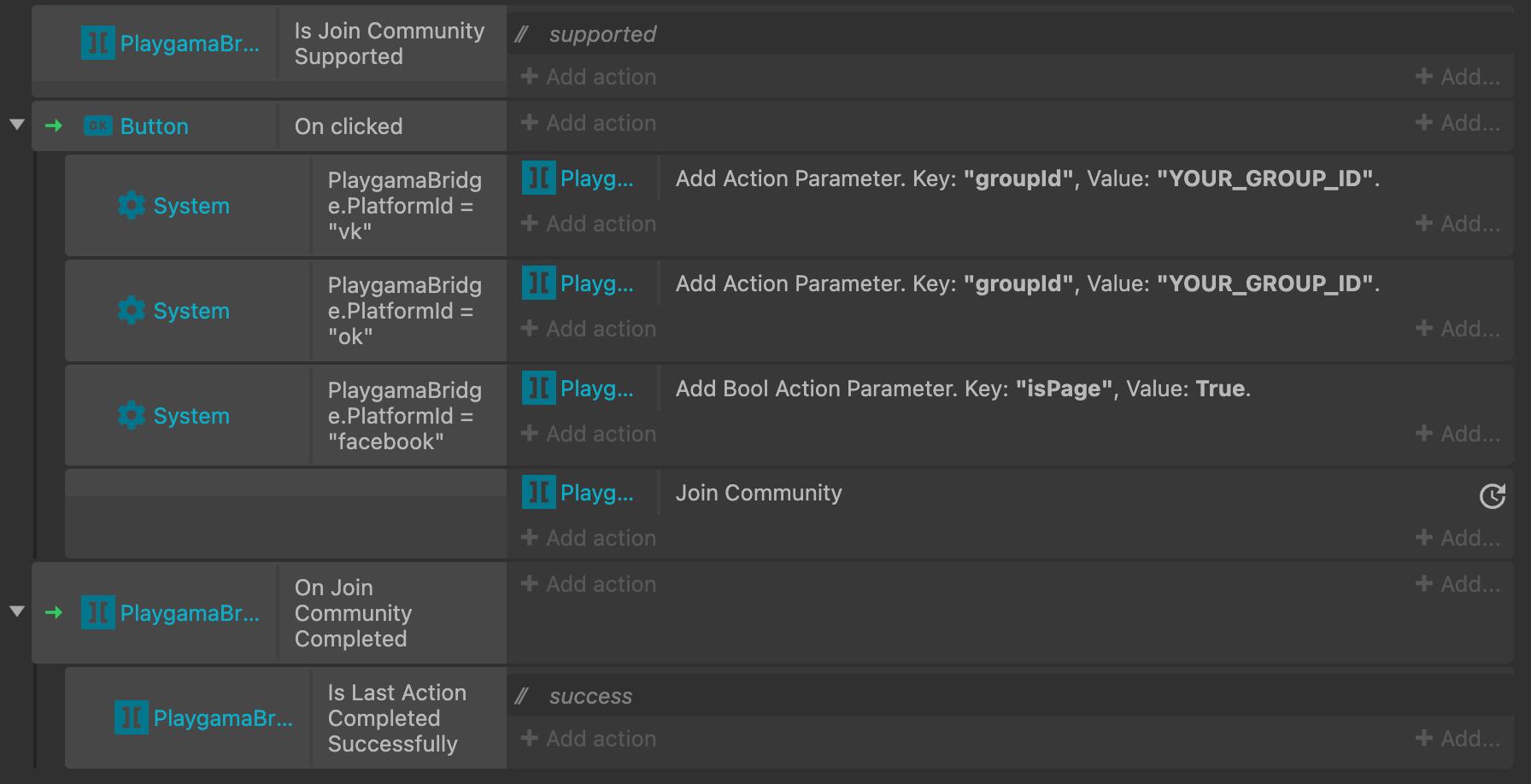
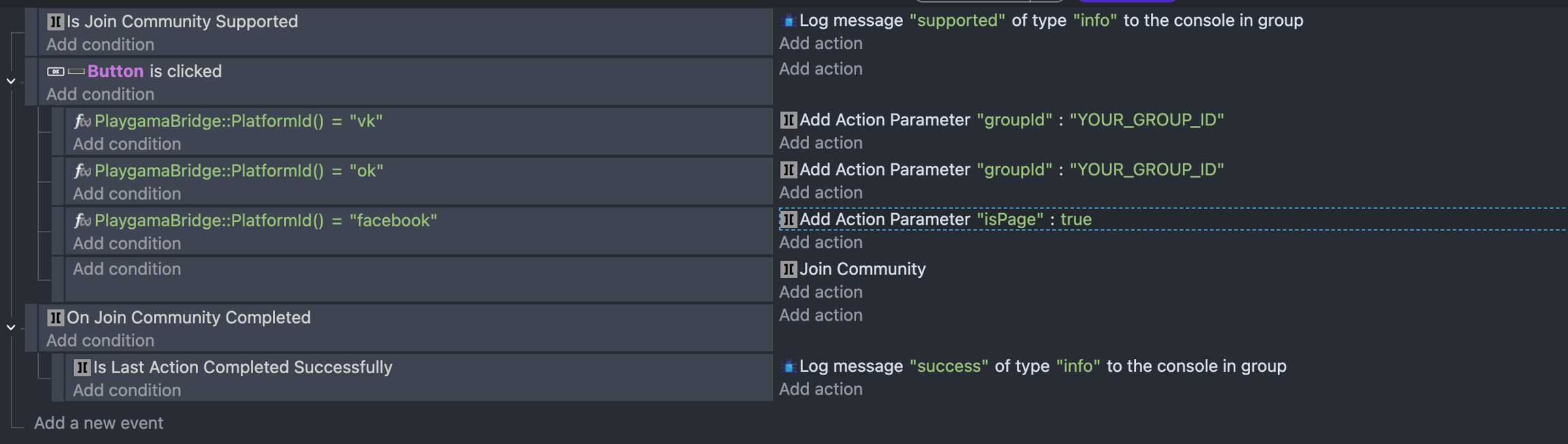
Let players join your game community, page, or group from inside the game.
Use this flag to decide whether to show the join-community button.
Use this flag to decide whether to show the join-community button.
Use this flag to decide whether to show the join-community button.
Use this flag to decide whether to show the join-community button.
Use this flag to decide whether to show the join-community button.
Use this flag to decide whether to show the join-community button.
Invite Friends
Let players invite friends to the current game session or game page.
Use this flag to decide whether to show the invite-friends button.
Use this flag to decide whether to show the invite-friends button.
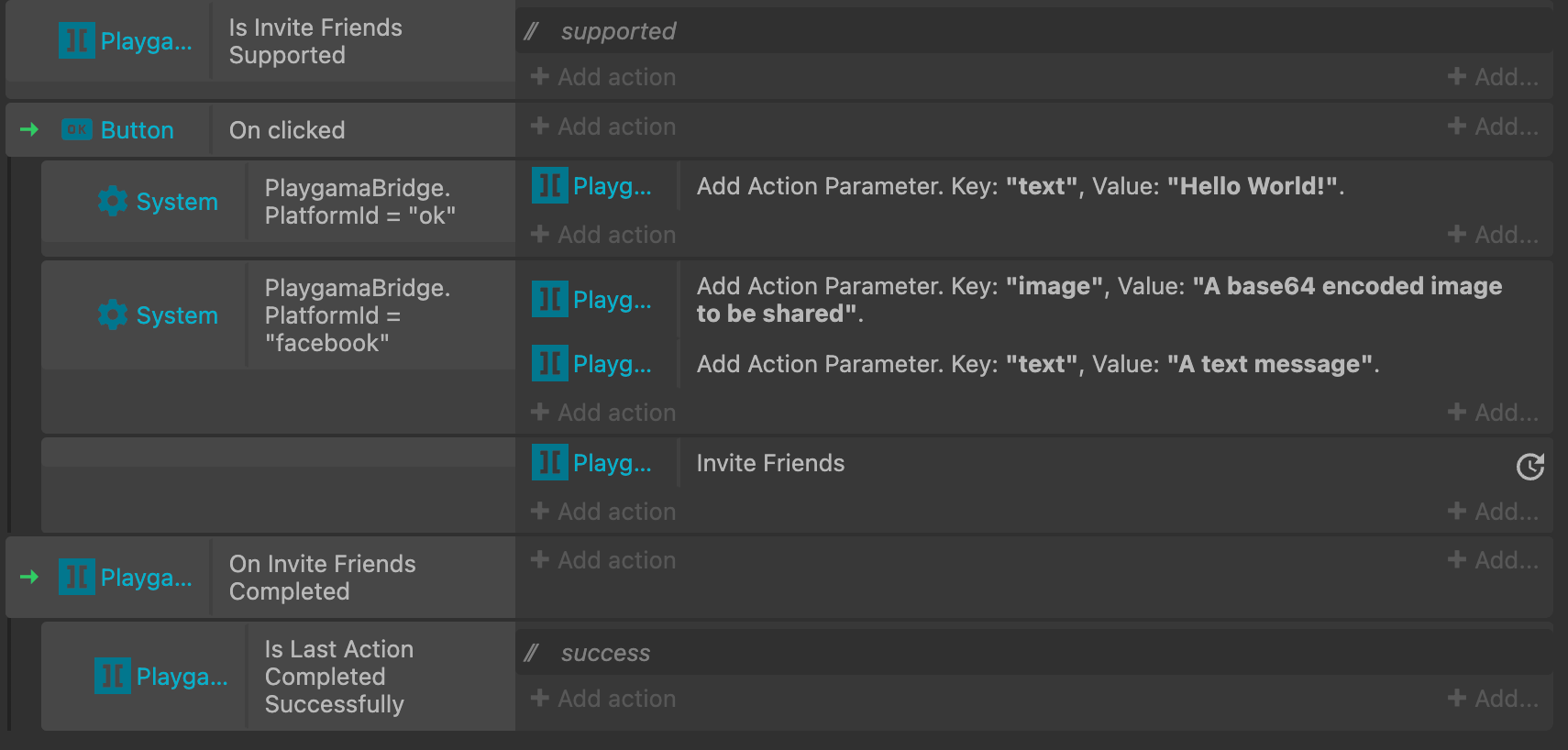
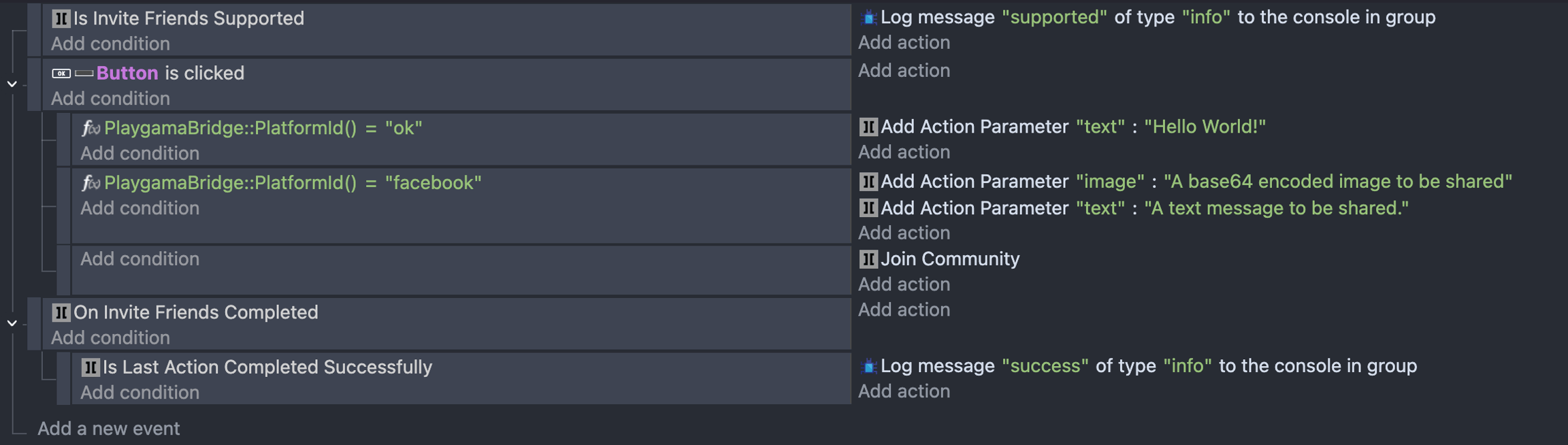
Use this flag to decide whether to show the invite-friends button.
Use this flag to decide whether to show the invite-friends button.
Use this flag to decide whether to show the invite-friends button.
Use this flag to decide whether to show the invite-friends button.
Create Post
Let players create a platform post from inside the game. Use only on platforms that support this flow.
Use this flag to decide whether to show the create-post button.
Use this flag to decide whether to show the create-post button.
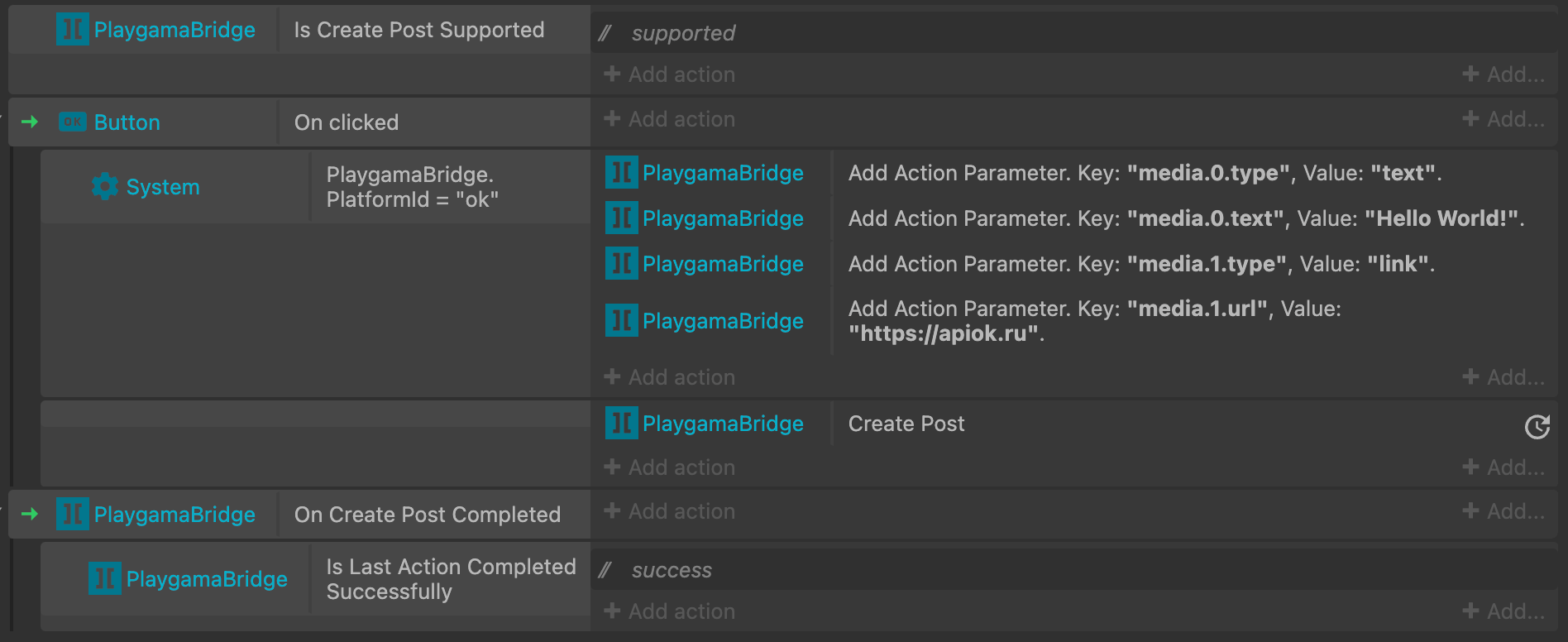
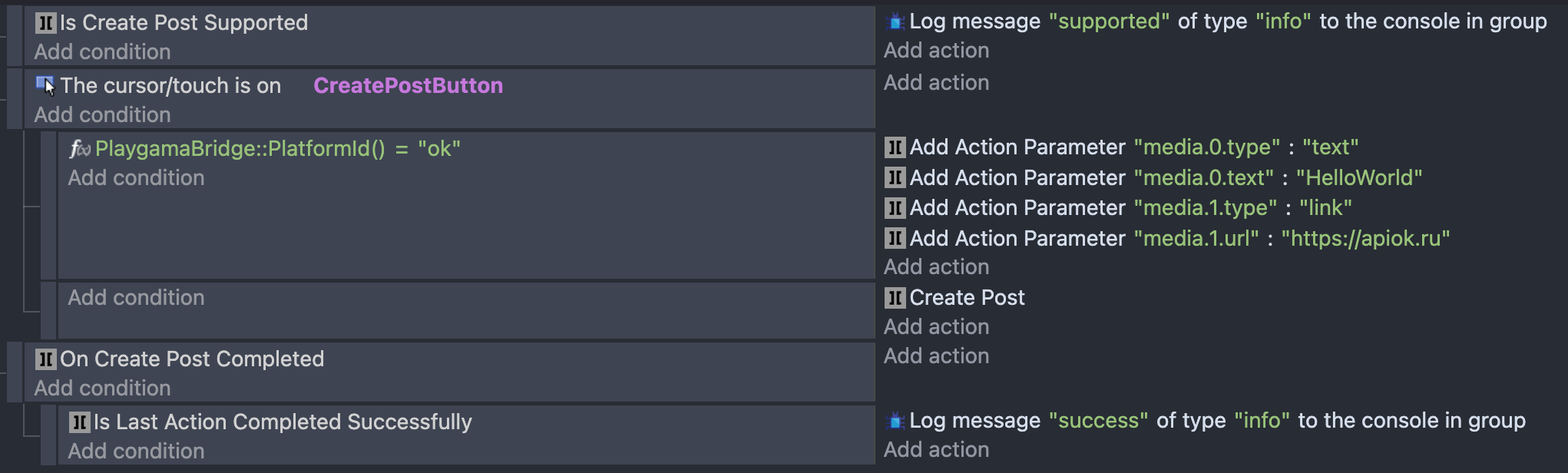
Use this flag to decide whether to show the create-post button.
Use this flag to decide whether to show the create-post button.
Use this flag to decide whether to show the create-post button.
Use this flag to decide whether to show the create-post button.
Add to Favorites
Let players add the game to the platform's favorites or bookmarks.
Use this flag to decide whether to show the add-to-favorites button.
Use this flag to decide whether to show the add-to-favorites button.
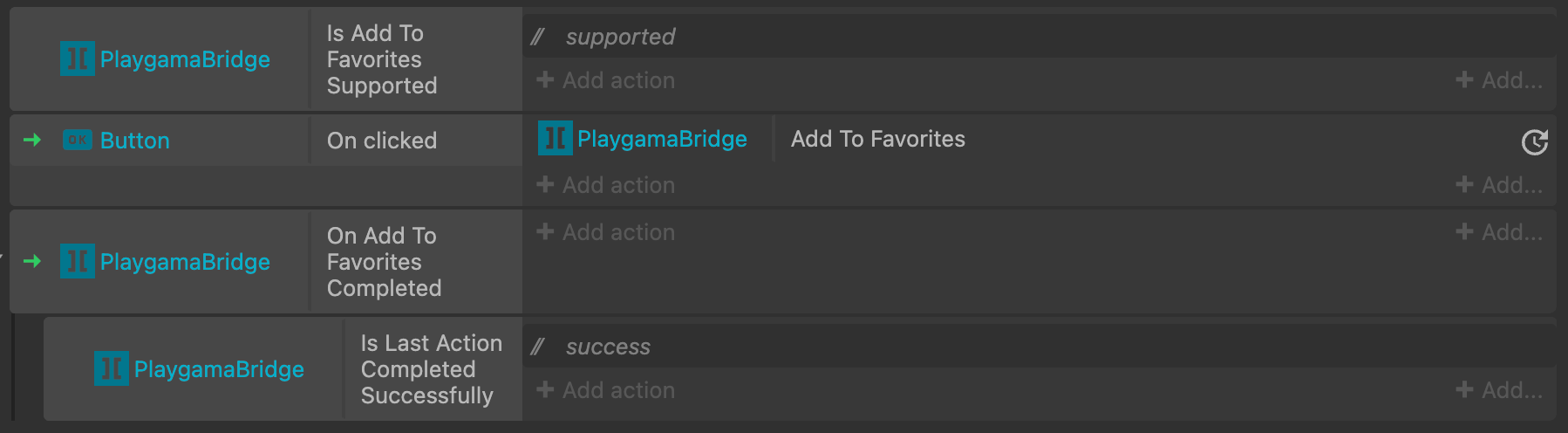

Use this flag to decide whether to show the add-to-favorites button.
Use this flag to decide whether to show the add-to-favorites button.
Use this flag to decide whether to show the add-to-favorites button.
Use this flag to decide whether to show the add-to-favorites button.
Add to Home Screen
Let players add a shortcut to the game on their home screen or launcher.
Use this flag to decide whether to show the add-to-home-screen button.
Use this flag to decide whether to show the add-to-home-screen button.
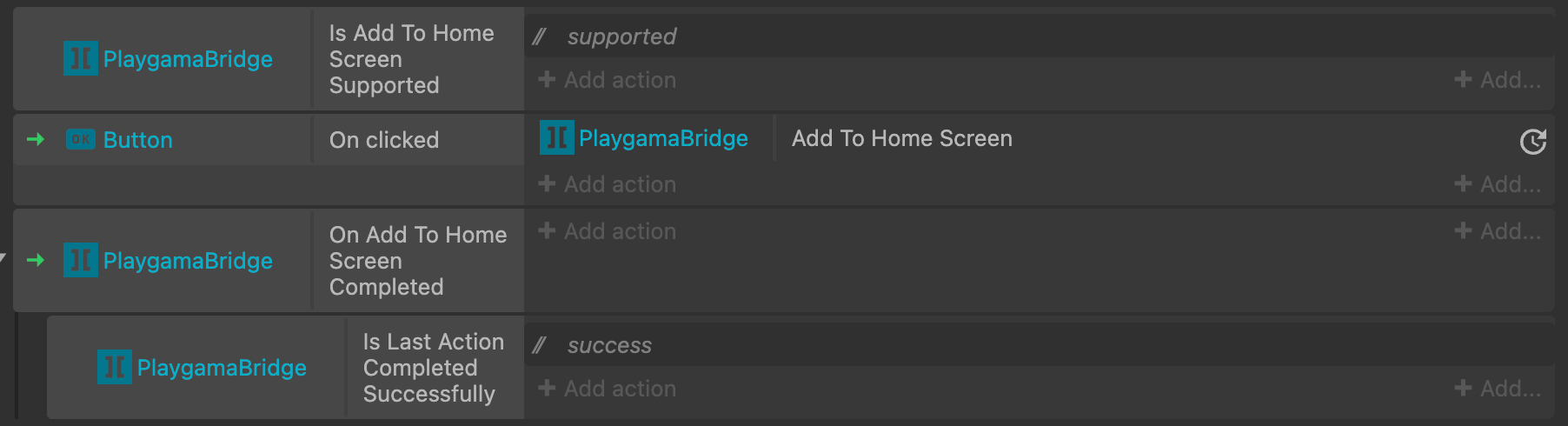

Use this flag to decide whether to show the add-to-home-screen button.
Use this flag to decide whether to show the add-to-home-screen button.
Use this flag to decide whether to show the add-to-home-screen button.
Use this flag to decide whether to show the add-to-home-screen button.
Rate Game
Open the platform's rating flow. Trigger it after a positive moment, such as completing a level or returning after several sessions.
Use this flag to decide whether to show the rate-game button.
Use this flag to decide whether to show the rate-game button.
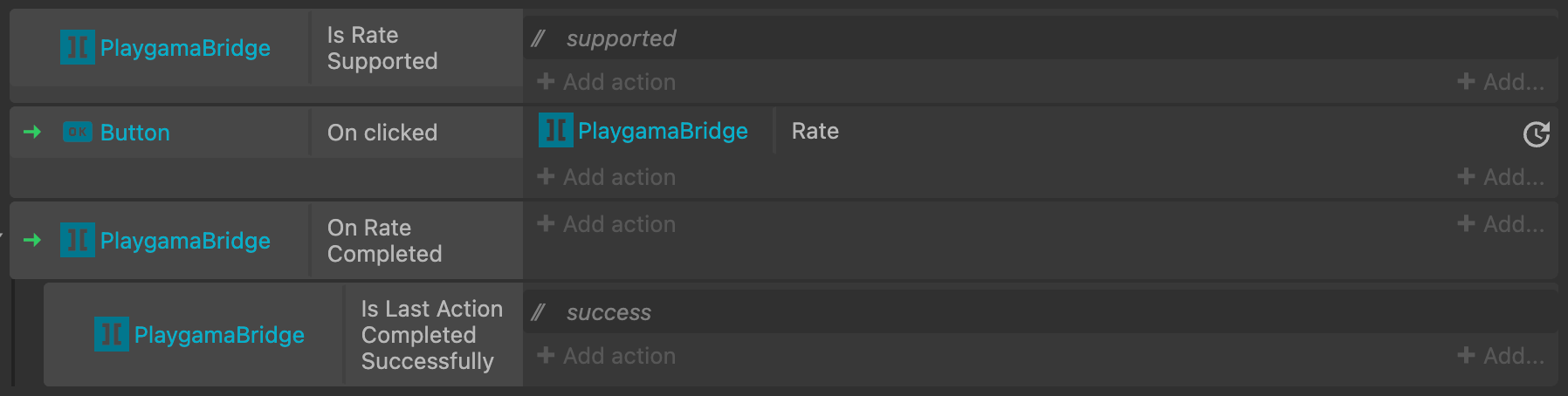

Use this flag to decide whether to show the rate-game button.
Use this flag to decide whether to show the rate-game button.
Use this flag to decide whether to show the rate-game button.
Use this flag to decide whether to show the rate-game button.
External Links
Check whether the platform allows links that leave the host environment, such as your official site, support page, or community page.


If this is false, hide external links or replace them with platform-approved navigation.