Remote Config
Read game settings (difficulty, drop rates, feature flags, A/B values) from the platform at runtime. This lets you change behavior without shipping a new build. Optional; available on a subset of platforms.
Fetch once at startup before gameplay, and always provide hardcoded defaults for every key. The request can fail, or the platform can return only part of your config.
Support
Check this before requesting remote values. If unsupported, use your local defaults.
bridge.remoteConfig.isSupportedBridge.remoteConfig.isSupported

Load Values
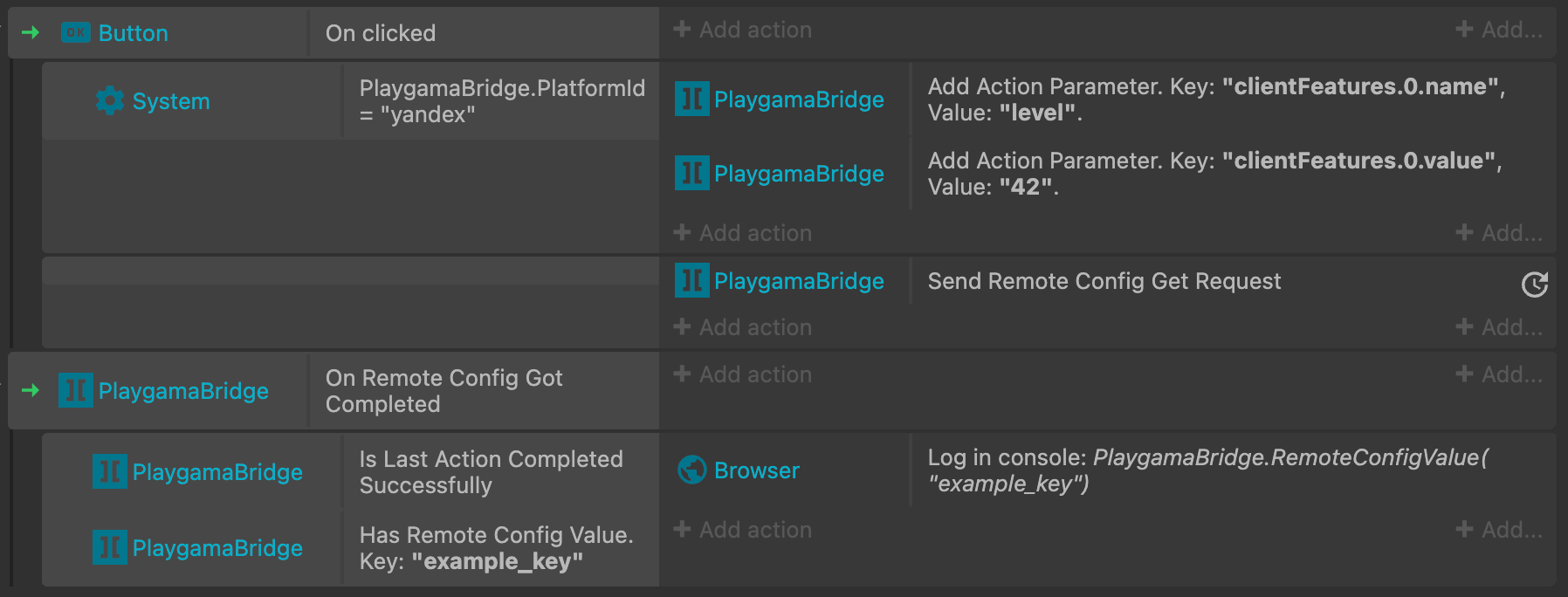
Load remote values and merge them into your local defaults before gameplay starts.
let options = { }

switch (bridge.platform.id) {
    case 'yandex':
        options = {
            clientFeatures: [ // optional parameter
                { name: 'levels', value: '5' }
            ]
        }
        break
}

bridge.remoteConfig.get(options)
    .then(data => {
        // your custom data, example: { showFullscreenAdOnStart: 'no', difficulty: 'hard' }
        console.log(data)
    })
    .catch(error => {
        // error
})private void Start()
{
var options = new Dictionary<string, object>();
switch (Bridge.platform.id)
{
case "yandex":
var clientFeatures = new object[]
{
new Dictionary<string, object>
{
{ "name", "levels" },
{ "value", "5" },
}
};
options.Add("clientFeatures", clientFeatures);
break;
}
Bridge.remoteConfig.Get(options, OnRemoteConfigGetCompleted);
}
private void OnRemoteConfigGetCompleted(bool success, Dictionary<string, string> data)
{
if (success)
{
foreach (var keyValuePair in data)
{
Debug.Log($"key: { keyValuePair.Key }, value: { keyValuePair.Value }");
}
}
}