> For the complete documentation index, see [llms.txt](https://wiki.playgama.com/playgama/llms.txt). Markdown versions of documentation pages are available by appending `.md` to page URLs; this page is available as [Markdown](https://wiki.playgama.com/playgama/bridge-sdk-v1/bridge-sdk/api/advertisement/interstitial.md).
# Interstitial
Interstitials are full-screen ads shown at natural pauses: between levels, on game over, or when returning to the menu.
{% hint style="danger" %}
**Interstitial integration is required for SDK integration to be considered complete.** Publishing platforms expect games to show interstitials at natural breakpoints. Without them, the game may not qualify for revenue share and can be rejected during moderation.
{% endhint %}
{% hint style="warning" %}
**Do not** call `showInterstitial()` at game start. Platforms that allow it show it automatically; calling it explicitly can result in duplicate ads.
{% endhint %}
{% hint style="info" %}
Ad settings are stored in `playgama-bridge-config.json`. Use the [config editor](https://playgama.github.io/bridge-config-editor/) to create or update them.
{% endhint %}
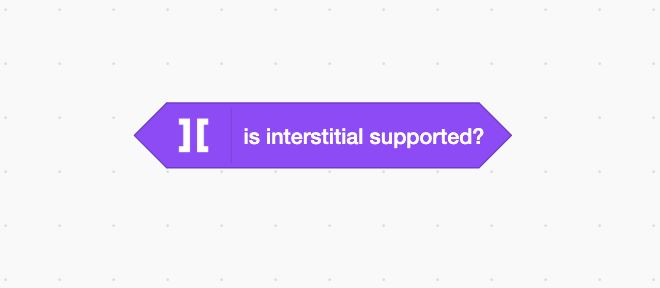
## Is Interstitial Supported
Check this before showing interstitial-related UI or running interstitial logic.
{% tabs %}
{% tab title="Plain JS" %}
```javascript
bridge.advertisement.isInterstitialSupported
```
{% endtab %}
{% tab title="Unity" %}
```csharp
Bridge.advertisement.isInterstitialSupported
```
{% endtab %}
{% tab title="Construct 3" %}
{% endtab %}
{% tab title="GDevelop" %}
{% endtab %}
{% tab title="Godot" %}
```gdscript
Bridge.advertisement.is_interstitial_supported
```
{% endtab %}
{% tab title="GameMaker" %}
```javascript
playgama_bridge_advertisement_is_interstitial_supported()
```
{% endtab %}
{% tab title="Defold" %}
```lua
bridge.advertisement.is_interstitial_supported()
```
{% endtab %}
{% tab title="Cocos Creator" %}
```javascript
bridge.advertisement.isInterstitialSupported
```
{% endtab %}
{% tab title="Scratch" %}
{% endtab %}
{% endtabs %}
Platform support · 26 of 28 platforms
**Supports:** `absolute_games`, `bitquest`, `crazy_games`, `dlightek`, `facebook`, `game_distribution`, `gamepush`, `gamesnacks`, `huawei`, `jio_games`, `lagged`, `microsoft_store`, `msn`, `ok`, `playdeck`, `playgama`, `poki`, `portal`, `samsung`, `telegram`, `tiktok`, `vk`, `xiaomi`, `y8`, `yandex`, `youtube`
**Does not support:** `discord`, `reddit`
## Minimum Interval Between Displays
Set the minimum delay between interstitial attempts. The SDK uses this delay to prevent ads from appearing too often.
{% tabs %}
{% tab title="Plain JS" %}
```javascript
// Default value = 60 seconds
bridge.advertisement.minimumDelayBetweenInterstitial
bridge.advertisement.setMinimumDelayBetweenInterstitial(30)
```
{% endtab %}
{% tab title="Unity" %}
```csharp
// Default value = 60 seconds
Bridge.advertisement.minimumDelayBetweenInterstitial
private void Start()
{
// Set minimum interval
Bridge.advertisement.SetMinimumDelayBetweenInterstitial(30);
}
```
{% endtab %}
{% tab title="Construct 3" %}
```javascript
// Default value = 60 seconds
PlaygamaBridge.MinimumDelayBetweenInterstitial
```
{% endtab %}
{% tab title="GDevelop" %}
Default value is 60 seconds.
```javascript
PlaygamaBridge::MinimumDelayBetweenInterstitial()
```
{% endtab %}
{% tab title="Godot" %}
```gdscript
Bridge.advertisement.minimum_delay_between_interstitial
```
To change the interval:
```gdscript
# Default value = 60
Bridge.advertisement.set_minimum_delay_between_interstitial(30)
```
{% endtab %}
{% tab title="GameMaker" %}
```javascript
// Get delay, default value = 60 seconds
playgama_bridge_advertisement_minimum_delay_between_interstitial()
// Set new delay
playgama_bridge_advertisement_set_minimum_delay_between_interstitial(30)
```
{% endtab %}
{% tab title="Defold" %}
```lua
-- Get delay, default value = 60 seconds
bridge.advertisement.minimum_delay_between_interstitial()
-- Set new delay
bridge.advertisement.set_minimum_delay_between_interstitial(30)
```
{% endtab %}
{% tab title="Cocos Creator" %}
```javascript
// Default value = 60 seconds
bridge.advertisement.minimumDelayBetweenInterstitial
bridge.advertisement.setMinimumDelayBetweenInterstitial(30)
```
{% endtab %}
{% endtabs %}
The SDK tracks the delay internally. Set the required interval once; if you call `showInterstitial()` too early, Bridge waits or skips according to platform behavior instead of showing ads too frequently.
## **Interstitial State**
{% hint style="warning" %}
Check `interstitialState` at game start. If the state is `opened`, immediately mute audio and pause gameplay (or rely on the universal platform [`AUDIO_STATE_CHANGED`](/playgama/bridge-sdk-v1/bridge-sdk/api/platform.md#is-audio-enabled) / [`PAUSE_STATE_CHANGED`](/playgama/bridge-sdk-v1/bridge-sdk/api/platform.md#pause) handlers — see the note below).
{% endhint %}
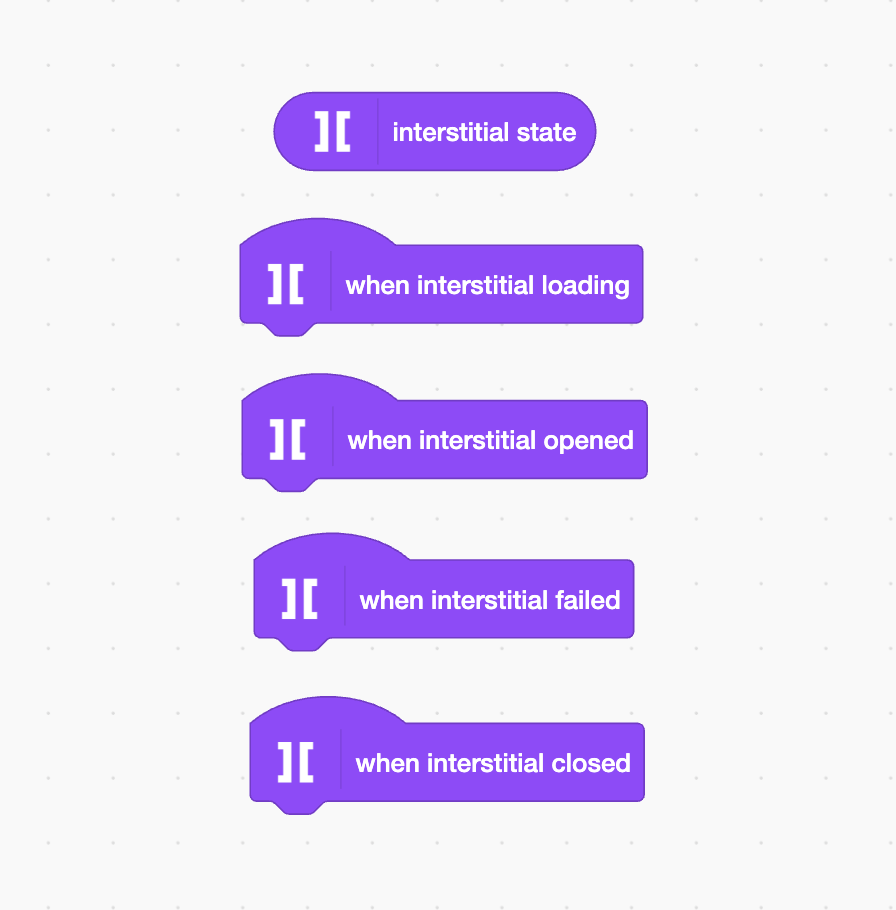
Track state changes to drive ad-specific logic. For muting and pausing, prefer the universal platform events described below instead of reacting to each ad state separately.
{% tabs %}
{% tab title="Plain JS" %}
```javascript
bridge.advertisement.interstitialState
```
Possible values: `loading`, `opened`, `closed`, `failed`.
```javascript
// To track interstitial ad state changes, subscribe to the event
bridge.advertisement.on(
bridge.EVENT_NAME.INTERSTITIAL_STATE_CHANGED,
state => console.log('Interstitial state: ', state)
)
```
{% endtab %}
{% tab title="Unity" %}
```csharp
Bridge.advertisement.interstitialState
```
Possible values: `Loading`, `Opened`, `Closed`, `Failed`.
```csharp
// To track interstitial state changes, subscribe to the event
private void Start()
{
Bridge.advertisement.interstitialStateChanged += OnInterstitialStateChanged;
}
private void OnInterstitialStateChanged(InterstitialState state)
{
Debug.Log(state);
}
```
{% endtab %}
{% tab title="Construct 3" %}
```javascript
PlaygamaBridge.InterstitialState
```
Current state of the interstitial ad. Possible values: `loading`, `opened`, `closed`, `failed`.
{% endtab %}
{% tab title="GDevelop" %}
```javascript
PlaygamaBridge::InterstitialState()
```
Current state of the interstitial ad. Possible values: `loading`, `opened`, `closed`, `failed`.
{% endtab %}
{% tab title="Godot" %}
```gdscript
Bridge.advertisement.interstitial_state
```
Returns the current state of the interstitial ad. Possible values: `loading`, `opened`, `closed`, `failed`.
{% tabs %}
{% tab title="Godot 3.x" %}
```gdscript
# To track interstitial state changes, connect to the signal
func _ready():
Bridge.advertisement.connect("interstitial_state_changed", self, "_on_interstitial_state_changed")
func _on_interstitial_state_changed(state):
print(state)
```
{% endtab %}
{% tab title="Godot 4.x" %}
```gdscript
# To track interstitial state changes, connect to the signal
func _ready():
Bridge.advertisement.connect("interstitial_state_changed", Callable(self, "_on_interstitial_state_changed"))
func _on_interstitial_state_changed(state):
print(state)
```
{% endtab %}
{% endtabs %}
{% endtab %}
{% tab title="GameMaker" %}
```javascript
playgama_bridge_advertisement_interstitial_state()
```
Possible values: `loading`, `opened`, `closed`, `failed`.
```javascript
// To track interstitial ad state changes, subscribe to the event
// via Async Social Event
if async_load[? "type"] == "playgama_bridge_advertisement_interstitial_state_changed" {
switch async_load[? "data"] {
case "loading":
// your logic here
break
case "opened":
// your logic here
break
case "closed":
// your logic here
break
case "failed":
// your logic here
break
}
}
```
{% endtab %}
{% tab title="Defold" %}
```lua
bridge.advertisement.interstitial_state()
```
Possible values: `loading`, `opened`, `closed`, `failed`.
```lua
local bridge = require("bridge.bridge")
function init(self)
bridge.advertisement.on("interstitial_state_changed", function (_, state)
print("Interstitial state changed: ", state)
end)
end
```
{% endtab %}
{% tab title="Cocos Creator" %}
```javascript
bridge.advertisement.interstitialState
```
Possible values: `loading`, `opened`, `closed`, `failed`.
```javascript
// To track interstitial ad state changes, subscribe to the event
bridge.advertisement.on(EVENT_NAME.INTERSTITIAL_STATE_CHANGED, this.onInterstitialStateChanged.bind(this));
onInterstitialStateChanged(state: INTERSTITIAL_STATE) {
console.log("Interstitial state: ", state);
switch (state) {
case 'loading':
break;
case 'opened':
break;
case 'closed':
break;
case 'failed':
break;
}
}
```
{% endtab %}
{% tab title="Scratch" %}
{% endtab %}
{% endtabs %}
{% hint style="info" %}
While the interstitial is open, the game must be muted and paused. The recommended way to handle this is once, in a single place, by subscribing to the platform [`AUDIO_STATE_CHANGED`](/playgama/bridge-sdk-v1/bridge-sdk/api/platform.md#is-audio-enabled) and [`PAUSE_STATE_CHANGED`](/playgama/bridge-sdk-v1/bridge-sdk/api/platform.md#pause) events instead of duplicating the logic per ad type. Bridge raises those events whenever the host requests it — interstitials, rewarded ads, browser tab switches, system pauses — so a single universal handler covers every case.
{% endhint %}
## **Show Interstitial**
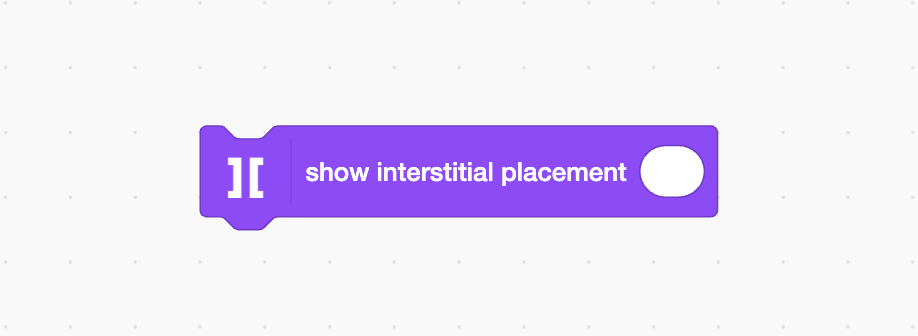
Request an interstitial at a natural pause, such as a level transition, game over screen, or return to menu.
{% tabs %}
{% tab title="Plain JS" %}
```javascript
let placement = 'test_placement' // optional
bridge.advertisement.showInterstitial(placement)
```
{% endtab %}
{% tab title="Unity" %}
```csharp
private void Start()
{
var placement = "test_placement"; // optional
Bridge.advertisement.ShowInterstitial(placement);
}
```
{% endtab %}
{% tab title="Construct 3" %}
Parameters:
* Placement (optional)
{% endtab %}
{% tab title="GDevelop" %}
Parameters:
* Placement (optional)
{% endtab %}
{% tab title="Godot" %}
```gdscript
var placement = "test_placement" # optional
Bridge.advertisement.show_interstitial(placement)
```
{% endtab %}
{% tab title="GameMaker" %}
```javascript
var placement = "test_placement" // optional
playgama_bridge_advertisement_show_interstitial(placement)
```
{% endtab %}
{% tab title="Defold" %}
```lua
local placement = "test_placement" -- optional
bridge.advertisement.show_interstitial(placement)
```
{% endtab %}
{% tab title="Cocos Creator" %}
```javascript
let placement = 'test_placement' // optional
bridge.advertisement.showInterstitial(placement)
```
{% endtab %}
{% tab title="Scratch" %}
{% endtab %}
{% endtabs %}
{% hint style="warning" %}
Do not call `showInterstitial()` at game start. Platforms that allow a start-of-game interstitial handle it automatically.
{% endhint %}